


What if a single mistake could delay your financial safety net when you need it most? For many, navigating state assistance programs feels overwhelming—especially during periods of sudden job loss. This guide simplifies the process, ensuring you avoid common pitfalls while securing temporary income support.
South Carolina’s unemployment program offers short-term financial relief to eligible individuals who lose employment through no fault of their own. To qualify, applicants must meet specific criteria, including being actively engaged in searching for new work opportunities. The state requires all claims to be submitted through its MyBenefits portal, a centralized platform designed to streamline applications and manage ongoing requirements.
Accuracy is critical. Missing deadlines or providing incomplete details can result in delays or denials. This resource combines official guidelines from the South Carolina Department of Employment and Workforce (DEW) with step-by-step video tutorials to clarify each phase of the process. Whether you’re filing for the first time or need to update an existing claim, understanding these protocols ensures compliance and faster access to funds.
Key Takeaways
- Unemployment benefits provide temporary income for eligible individuals who lose jobs due to circumstances beyond their control.
- Applicants must actively seek work and document their job search efforts to remain qualified.
- The MyBenefits portal is the state’s official platform for submitting and managing claims.
- Errors in application details or missed deadlines can significantly delay financial support.
- This guide aligns with DEW standards and includes verified video resources for clarity.
Getting Started with Your Claim
Preparation is your strongest ally when initiating financial assistance requests. Collecting the right information upfront reduces processing delays and ensures your case aligns with state guidelines.
https://www.youtube.com/watch?v=dhBdCqsUkNw
Understanding Eligibility Requirements
State law requires applicants to meet specific criteria for unemployment insurance. You must have lost work due to layoffs, reduced hours, or other non-disciplinary reasons. Being physically able to accept employment and actively searching for opportunities is mandatory.
All earnings from part-time roles or freelance gigs must be reported. Failure to disclose wages may disqualify you from receiving eligible benefits. Your previous employer’s details—including contact data—are used to confirm employment history and separation circumstances.
Essential Documents and Information Needed
Gather these items before starting your application:
- Social Security number
- Dates and addresses for all employers in the past 18 months
- Military service records (DD-214) if applicable
Organizing records in chronological order helps reviewers verify your unemployment insurance qualifications faster. Missing documents often lead to paused claims, so double-check every piece of information.
Step-by-Step: How to Claim Unemployment Benefits South Carolina
Streamlined digital tools make securing temporary income support manageable. Start by gathering essential employment records and personal identification to ensure smooth data entry.
Establishing Your Online Account
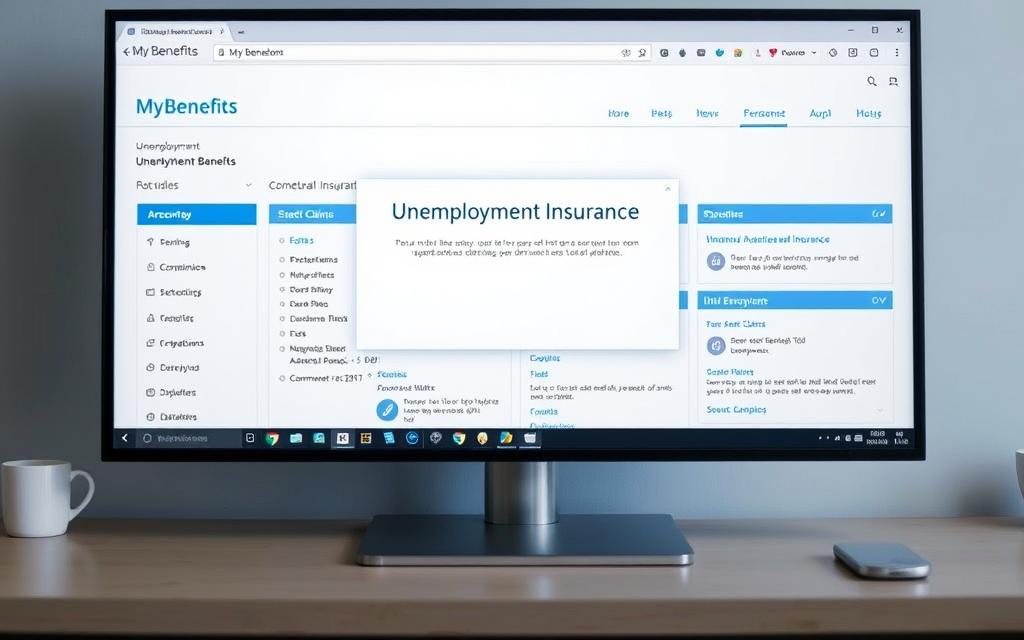
First, visit the MyBenefits portal and select “Create Account.” Provide your Social Security number, email, and a secure password. Video tutorials explain each field if questions arise during setup.
Double-check all entries before submitting. Errors here can delay verification. Once registered, you’ll receive a confirmation email within 24 hours.
Submitting Your Request
After logging in, choose “File New Claim.” Enter past employer details, including dates and reasons for separation. Be specific—vague answers may trigger follow-up inquiries.
The system requires a mandatory waiting period of one week before processing begins. Use this time to review DEW-provided PDFs explaining next steps.
Submit supporting documents promptly. Payments typically start after 2-3 weeks if all requirements are met. Update your account weekly to maintain eligibility for benefits.
Navigating the Weekly Certification Process
Maintaining eligibility requires attention to detail each week. The state mandates strict adherence to employment law during this phase, with penalties for incomplete or delayed submissions. Proper planning ensures uninterrupted support while avoiding common errors.
Completing Weekly Claims and Job Searches
Every seven days, applicants must confirm their eligibility through the MyBenefits portal. This includes:
- Reporting two job search activities per week (e.g., applications or interviews)
- Confirming availability for full-time work
- Updating contact information if needed
SC Works Online Services tracks these efforts automatically. Telephone support and video guides simplify the process for those without internet access.
Reporting Earnings Accurately
All income must be disclosed, even if payment arrives later. This includes part-time wages, gig work, or freelance earnings. Errors here often trigger audits or delayed payments.
| Requirement | Details | Resources |
|---|---|---|
| Job Searches | 2 weekly activities | SC Works portal |
| Income Reporting | All sources | MyBenefits earnings form |
| Certification | Weekly deadlines | Telephone hotline |
State-provided resources like downloadable checklists help organize records. Consistent compliance with these requirements protects your eligibility and aligns with program guidelines.
Additional Tips and Common Pitfalls
Even with careful planning, small oversights can disrupt financial assistance timelines. Proactive strategies minimize risks while maximizing compliance with state guidelines.

Avoiding Overpayment and Fraud Issues
Accurate income reporting is non-negotiable. Overestimating or underreporting earnings—even by mistake—can trigger overpayment notices. Always verify your weekly benefit amount against pay stubs before submitting claims.
Fraud prevention starts with secure data practices. Protect your social security number and never share login credentials. Report suspicious emails claiming to be from state services immediately through official channels.
Handling Appeals and Employer Filings
If disputes arise, submit appeals within 10 days using DEW’s online portal. Include evidence like termination letters or corrected wage statements. Employers receive copies of all filings, so clarity prevents delays.
Track deadlines using a dedicated calendar. Missing hearings or document submissions often results in denied appeals. For questions, use the state’s troubleshooting guides to resolve issues efficiently.
| Issue | Prevention Strategy | Action Required |
|---|---|---|
| Overpayment | Double-check earnings | Repayment plan setup |
| Fraud alerts | Monitor account activity | Contact DEW fraud hotline |
| Appeals | Gather evidence early | Submit within 10 days |
Earning less weekly benefit thresholds? You may still eligible for partial payments. Update income details promptly to avoid penalties. Consistent record-keeping ensures smooth interactions with state services year-round.
Conclusion
Securing temporary financial support demands precision at every phase. From establishing your MyBenefits portal account to filing weekly certifications, each action impacts eligibility. Proper documentation and accurate reporting of wages earned prevent delays or disqualification.
The program provides essential relief but requires strict adherence to guidelines. Always verify your benefit amount and submit claims before deadlines. For clarity on complex scenarios, review the step-by-step FAQ guide covering state-specific rules.
Remember, reemployment ends assistance. Notify the state promptly if you accept work. Acting with good cause—like reporting income changes—ensures compliance. Stay organized, track job searches, and update records to avoid penalties.
By following these steps, you maintain access to the weekly benefit structure while transitioning back to full-time employment. Accuracy isn’t optional—it’s the foundation of successful financial support.